

This guide will walk you through the process of applying for a Junior IT Technician position at DHL. This role is ideal for individuals with a background in Information Technology or Computer Science who have 1-3 years of experience in technical support. By following these steps, you can effectively submit your application and increase your chances of securing this opportunity. Before you begin, ensure you have a strong understanding of basic IT principles, including operating systems, networking, and troubleshooting.
Step 1: Review the Job Requirements
Action: Carefully read through the detailed requirements for the Junior IT Technician position.
Expected Outcome: You will have a clear understanding of the educational background, experience, and core competencies DHL is seeking. This includes having a National Diploma or Bachelor’s degree in IT or a related field, 1-3 years of technical support experience, and familiarity with systems like Windows, Microsoft 365, and Active Directory.
Mistakes to Avoid:
- Skipping details: Do not just skim the requirements. Pay close attention to specific software, hardware, and networking knowledge mentioned.
- Ignoring “Additional Requirements”: Ensure you meet criteria such as South African citizenship or valid work authorization, and be prepared for potential background checks.
Step 2: Gather Necessary Documentation
Action: Collect all documents that support your qualifications and experience.
Expected Outcome: You will have a complete set of documents ready for your application, which may include your CV, academic transcripts, degree certificates, and any relevant IT certifications (like CompTIA A+, N+, or Microsoft 365 Certified).
Mistakes to Avoid:
- Outdated CV: Make sure your CV is current and highlights your IT support experience prominently.
- Missing Certificates: If you have IT certifications, ensure you have the official documentation to prove them.
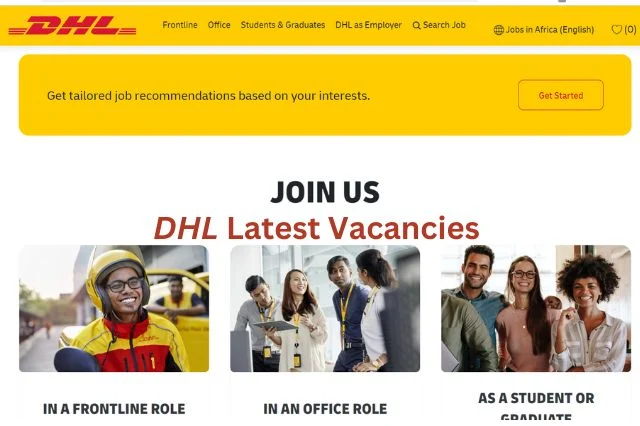
Step 3: Access the DHL Careers Portal
Action: Navigate to the official DHL careers website to find the application portal.
Expected Outcome: You will be on the correct page to search for and apply to open positions. The provided link directs you to the DHL careers page where you can find current vacancies.
Mistakes to Avoid:
- Using unofficial sites: Only apply through the official DHL careers portal to avoid scams or outdated information.
- Getting lost on the website: If you are unsure, look for a “Careers” or “Vacancies” section.
Step 4: Locate the Junior IT Technician Vacancy
Action: Use the search or filter functions on the DHL careers portal to find the specific Junior IT Technician job opening.
Expected Outcome: You will find the listing for the Junior IT Technician role, allowing you to view the full job description again and initiate the application process.
Mistakes to Avoid:
- Applying for the wrong role: Double-check that you are applying for the correct position and location.
- Missing the deadline: Be aware that applications are often processed on a first-come, first-served basis, so apply promptly.
Step 5: Complete the Online Application Form
Action: Fill out the online application form accurately and completely.
Expected Outcome: All required fields in the application form will be filled with your personal details, contact information, educational background, and work experience. You will also upload your CV and any other requested documents.
Mistakes to Avoid:
- Inaccurate information: Ensure all details, especially contact information, are correct to prevent communication issues.
- Generic responses: Tailor your answers to highlight how your skills and experience match the specific requirements of the Junior IT Technician role.
- Typos and grammatical errors: Proofread everything carefully before submitting.
Step 6: Submit Your Application
Action: Review your completed application one last time and submit it through the portal.
Expected Outcome: Your application will be successfully sent to DHL for review. You may receive an email confirmation of your submission.
Mistakes to Avoid:
- Submitting incomplete applications: Ensure all sections are filled and documents are uploaded.
- Forgetting to click “Submit”: Make sure you complete the final submission step.
Step 7: Prepare for Potential Next Steps
Action: Anticipate potential follow-up actions from DHL.
Expected Outcome: You will be ready for possible interviews, technical assessments, or requests for further information. This includes being prepared to discuss your troubleshooting skills, experience with specific software, and customer service approach.
Mistakes to Avoid:
- Not preparing for interviews: Research common IT support interview questions and practice your answers.
- Ignoring communication: Keep an eye on your email and phone for any contact from DHL.
By diligently following these steps, you can confidently submit your application for the Junior IT Technician position at DHL. If your application is successful, you will be contacted for the next stage of the hiring process.
To further advance your career in logistics or IT, consider exploring other opportunities within DHL or related companies. Keep your skills updated and continue seeking roles that align with your professional goals.



Conversation
0 Comments